 MioCreate
Playbox AI vs MioCreate
Compare two AI video and image platforms — and choose the better fit for your workflow.
Both Playbox AI and MioCreate are cloud-based AI platforms that generate or edit visual content. They overlap on image-to-video style creation, but they differ in product breadth, payment options, and focus. This comparison helps you pick the right tool.
| Feature | Playbox AI | MioCreate |
|---|---|---|
| Primary focus | AI video generation with NSFW-oriented templates and nudification flows | AI face swap, voice, dance, text-to-image, text-to-video, and image-to-video |
| Key features | Photo nudifier, image-to-video, video extension, custom model training, preset templates | Face swap (photo/video/GIF), multi-face swap, voice generator, dance generator, text to image/video, image combiner |
| Custom model training | Yes — upload custom videos to build personalized action templates | No custom model training; ready-to-use tools in the browser |
| Video extension | Yes — extend generated clips with additional scenes | Generate new clips from text or stills; no dedicated “extend scene” pipeline |
| Preset templates | Hundreds of pre-built NSFW scenes and characters | Tool-based workflows (swap, dance motions, video styles) rather than a huge NSFW preset library |
| Prompt / control | Prompt customization for adult scenes and outfits | Text prompts for image/video, upload-driven face/dance/voice flows |
| Payment methods | Telegram and crypto only | Credit plans via web checkout (card-friendly flow) plus free trial credits |
| Free start | Daily free generation allowance | Free trial credits and free plan to test core features |
| Access | Often tied to Telegram / specialized adult AI flows | Browser on phone and desktop — miocreate.app |
| Ease of use | Advanced features; steeper learning curve | Simple step-based tools: upload, set options, generate |
| Content policy | Strong NSFW focus | Creative editing toolkit with published content policy and content removal |
Playbox AI

Playbox AI is an AI video generation platform aimed at turning images into realistic clips, with a strong emphasis on NSFW content. It targets users who want deep customization: custom model training, video extension, and large preset libraries.
Pros
- Custom model training from uploaded videos
- Video extension to continue a generated scene
- Large library of preset templates and characters
- Prompt customization for detailed adult scene control
- Image-to-video and photo nudifier workflows
- Affiliate-style commissions reported by third-party reviews
- Daily free generation allowance
Cons
- Limited payment methods — Telegram and crypto, no standard card checkout in many flows
- More complex interface because of advanced options
- Primarily NSFW-focused; less of a general creative suite
- Custom training needs multiple uploads and setup time
- Steeper learning curve for power features
Best for: users who want advanced NSFW video customization, model training, and template depth, and who are fine paying via Telegram or crypto.
MioCreate
MioCreate is a browser-based AI creation platform for face swap, voice, motion, and short video. It focuses on approachable tools: swap faces in photos and clips, generate voice or dance motion, and create images or videos from text — without installing an app.
Pros
- Broad toolkit: Face Swap, multi-face, Voice, Dance, Text to Image, Text to Video, Image to Video
- Simple 2–3 step flows in the browser on iPhone, Android, and desktop
- Clear credit pricing (monthly, half-yearly, yearly) and free trial credits
- Web checkout that supports conventional payment flows
- Commercial-use messaging on several generation tools
- Published policies, FAQs, and content-removal path
- No APK / App Store install required — official use is on the website
Cons
- No Playbox-style custom model training from personal video sets
- No dedicated “extend this generated NSFW scene” feature
- Not built as a large adult preset marketplace
- Quality still depends on source photos and prompts
Best for: users who want face swap and everyday AI creative tools in a simple browser UI, with credit plans and card-friendly checkout — without a Telegram-only funnel.
Which one should you choose?
Choose Playbox AI if: you need advanced NSFW video generation, custom model training, video extension, and hundreds of adult presets — and you are comfortable with Telegram/crypto payment limits and a denser product UI.
Choose MioCreate if: you want a wider creative suite (face swap, voice, dance, text/image video tools), a straightforward web experience, free trial credits, and normal plan checkout. MioCreate is the better fit when your goal is editing and generating everyday creative content rather than training custom adult action models.
Both platforms use AI for visual content, but they serve different jobs. Playbox leans into NSFW video power features; MioCreate leans into accessible multi-tool creation on miocreate.app.
FAQ
Is MioCreate the same as Playbox AI?
No. They are separate products. Playbox focuses on NSFW video generation and training; MioCreate offers face swap and a broader set of browser AI tools.
Is it difficult to use DeepNude and face swap tools?
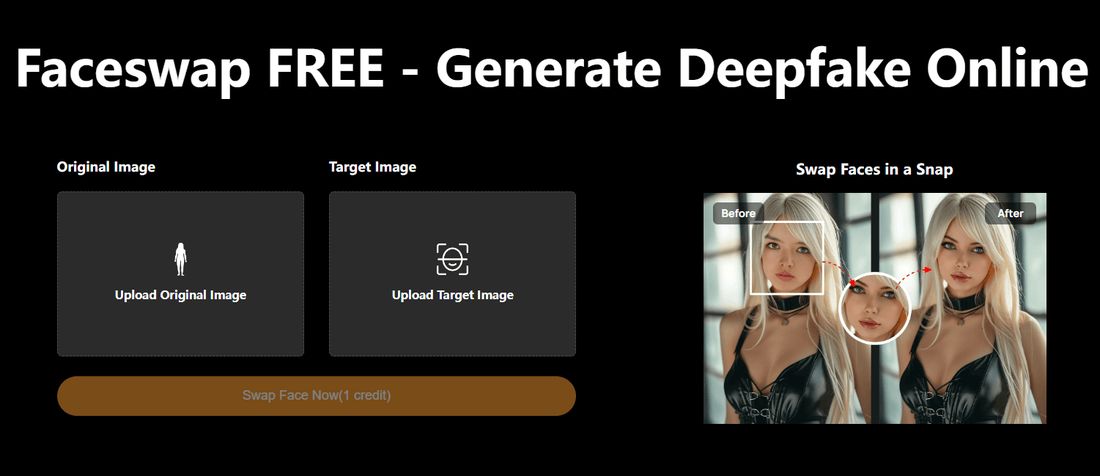
Usually no — most modern web tools are built for short steps: upload a photo, pick an option, and generate. MioCreate face swap is a simple browser flow without installing desktop software. Older DeepNude-style apps and local models can be harder (GPU setup, command-line installs, and steeper learning curves). If you want the easiest path for everyday face swap, start with a no-install web tool like MioCreate Face Swap; advanced NSFW pipelines (including Playbox-style training or extension) take more learning.
Does MioCreate have an Android APK?
No. There is no official MioCreate APK or iOS app. Use the website — see App Download.
Can I try MioCreate free?
Yes. Free trial credits and a free plan are available so you can test core features before buying a credit bundle. Start at Try Now.